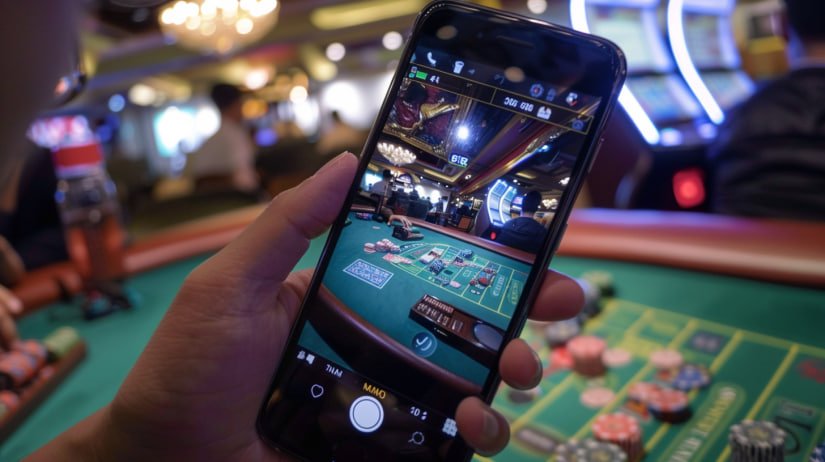
Everything you love about the desktop, now in your pocket. Log in to the bije999 app to play games, deposit, and withdraw — all in one place, hassle-free.
Bije999 is available on three platforms. Pick whichever works best for you — the experience is the same quality across all of them.
The bije999 Android app is available as a direct APK download. Even if it's not on the Google Play Store, installing it straight from our site is completely safe.
IPhone and iPad users can add the bije999 iOS web app to their home screen. Through the Safari browser, you get a fully native app-like experience.
Play bije999 directly in your browser — no installation needed. Get the full experience on any modern browser: Chrome, Firefox, or Edge.
On most Android phones, installing an APK file requires enabling "Install from unknown sources". Follow the steps below and you'll have the bije999 app up and running in under five minutes.
Go to Settings → Security (or Privacy) → enable Unknown Sources. On some devices this option appears as "Install unknown apps". Grant permission to Chrome or your File Manager.
Open bije999.onl in Chrome or any browser on your Android phone and head to the download page.
Tap the "Download Android APK" button. The file will be saved to your phone's Downloads folder — this usually takes 30-60 seconds.
Once the download is complete, tap the notification or open the Files app and launch the APK. Just tap "Install" and you're done.
Open the app and log in if you have an existing account. New users can register and claim the welcome bonus.
The bije999 APK file is completely safe — free from malware and viruses. Before downloading, make sure the URL bar shows bije999.onl.
Due to Apple's policies, gaming apps are rarely available directly on the App Store. However, bije999's Progressive Web App (PWA) technology lets iPhone users add a shortcut to their home screen straight from Safari — and it looks and feels just like a native app.
Open bije999.onl in the Safari browser on your iPhone. This feature does not work in Chrome or other browsers.
Tap the Share icon (↑) at the bottom center of your screen.
Select "Add to Home Screen" from the menu. Name it "bije999", then tap Add.
From now on, tapping the bije999 icon on your home screen will open it just like a native app.
| Features | Android | iOS PWA | Web |
|---|---|---|---|
| Installation required | ✔ APK | ✔ PWA | ✘ None |
| Push notifications | ✔ | ✔ | ✘ |
| Offline loading | ✔ | ✔ | ✘ |
| Live Casino | ✔ | ✔ | ✔ |
| Fastest load times | Fastest | Fast | Normal |
| BKash / Nagad payment | ✔ | ✔ | ✔ |
| Auto Update | Manual | ✔ | ✔ |
| Fingerprint login | ✔ | ✔ | ✘ |
Everything on the website is available in the app too — but the app has a few extra advantages. It's especially more convenient for regular players.
Online gaming is growing fast in Bangladesh, and bije999 has built its mobile app with exactly that in mind. From cities to villages, the app is designed to be lightweight, fast, and easy to use for players everywhere. For first-time installers, the whole process has been made as straightforward as possible.
It's natural to have some hesitation about downloading an APK — but the APK from the official bije999 website is completely safe. It's regularly updated and delivered directly without any third-party modifications. Before downloading, just make sure you're on bije999.onl and not an imitation site.
Opening the bije999 app takes you straight to the lobby, where Live Casino, slots, bingo, and crash games are all accessible from a single screen. A dedicated section handles deposits and withdrawals, with easy support for bKash, Nagad, and Rocket. The Promotions tab shows all active offers, claimable in one tap. Account settings keep everything organized — password changes, limits, and transaction history all in one place.
The iOS PWA and web version update automatically to the latest version — no action needed on your part. For the Android APK, a notification will appear when a new update is available. From there, you can easily download and install the new version. All your existing data and account details will remain intact.
The bije999 app uses SSL encryption to keep your personal information secure. It only requests permissions necessary for gameplay — no unnecessary access to your camera, contacts, or location is ever asked for. Your payment details are never stored on our servers. To read bije999's full privacy policy, Privacy Policy View the page.
If you run into any issues installing or running the app, start by restarting your phone and trying again. If the problem persists, re-download the APK. Clearing the cache often resolves performance issues. If nothing works, use the web version — you'll get the same experience. You can also reach our support team at [email protected].

New users will receive a welcome bonus after registration.
Register nowRegister, claim your welcome bonus, and enjoy your favorite games on the bije999 app. Whether you choose Android, iOS, or web — the experience is the same.